
¡Oferta!
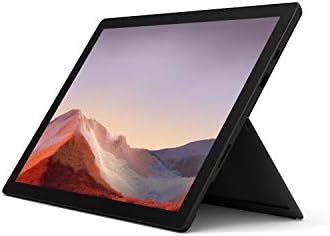
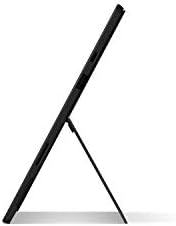
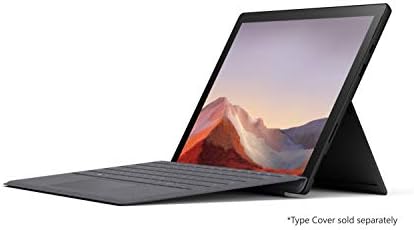
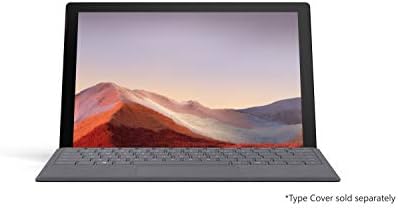
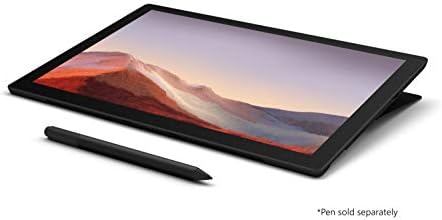
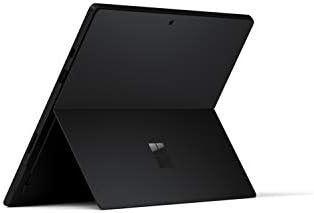
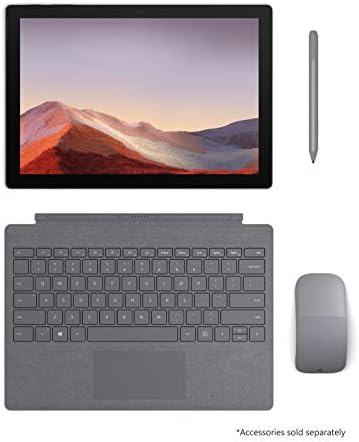
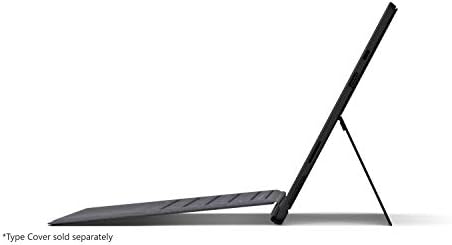
Microsoft Surface Pro 7 – Pantalla táctil de 12.3″ – Intel Core i5 de 10.ª gen – 8 GB RAM- SSD de 256 GB – Negro mate Nuevo
El precio original era: $999,99.$799,99El precio actual es: $799,99.
¡Calidad Garantizada!Ordenador portátil de última generación y de primera clase con la versatilidad de un estudio y una tableta, para que puedas escribir, tocar, dibujar, trabajar y jugar de forma más natural Más rápido que Surface Pro 6, con un procesador Intel Core de 10ª generación, que redefine lo que es posible en una computadora delgada y ligera. Más formas de conectarse, con puertos USB-C y USB-A para conectarse a pantallas, estaciones de acoplamiento y más, así como carga de accesorios Diseño destacado que no te pesará: la Surface Pro 7 ultradelgada y ligera comienza con solo 1.70 libras Duración de la batería durante todo el día de hasta 10,5 horas, además de la capacidad de pasar de vacío a lleno más rápido, aproximadamente el 80% en poco más de una hora Sistema de cámara delantera/trasera: grabación de vídeo: 1080p Actualización gratuita a Windows 11 cuando esté disponible
Microsoft Surface Pro 7
Ultraportátil, versátil y más potente que nunca. Se adapta completamente a tu ritmo de trabajo.
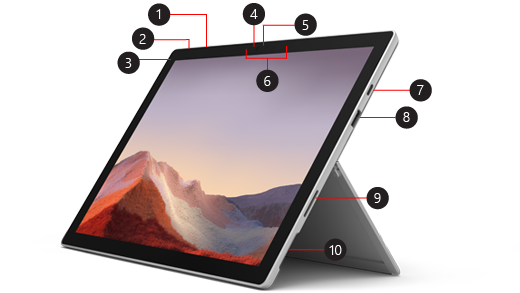
Anatomía y Puertos del Dispositivo
1. Botones de Volumen
2. Botón de encendido/suspenso
3. Conector 3.5mm Auriculares/Mic
4. Cámara Windows Hello
5. Cámara frontal HD
6. Micrófonos Studio de doble campo
7. Puerto USB-C®
8. Puerto USB-A
9. Puerto Surface Connect
10. Lector microSDXC™
ℹ️
Actualización a Windows 11: Este dispositivo incluye Windows 10 (Home o Pro según edición) y es totalmente compatible con la actualización gratuita a Windows 11.
Lo más destacado
Modos Versátiles
Pasa de tableta a portátil al instante con el soporte integrado y la Funda con teclado Signature.
Rendimiento de 10.ª Gen
Procesador Intel® Core™ con carga rápida, encendido instantáneo y batería para todo el día.
Audio y Video Premium
Sonido Dolby Audio Premium y micrófonos Studio Mic duales para videollamadas ultra nítidas.
Especificaciones Técnicas
[1] Duración de la batería: Hasta 10,5 horas según uso típico del dispositivo. Pruebas realizadas por Microsoft en septiembre de 2019. La duración varía significativamente según la configuración y el uso.
[2] Almacenamiento: El espacio disponible real del SSD está sujeto a cambios en función de las actualizaciones del sistema operativo.
| Tamaño | 8 GB RAM, 256 GB, 8 GB RAM, 128 GB, 16 GB RAM, 256 GB |
|---|---|
| Tecnología de comunicación inalámbrica | Bluetooth |
| Color | Negro mate, Platino |
| Capacidad del disco duro | 256 GB |
| Características del producto | Ligero, portátil |
| Tarjeta gráfica | Integrado |
| Procesador de gráficos | GPU |
| Tecnología del disco duro | SSD |
| Unidad de peso | 1,7 Libras |
| Fabricante del procesador | Intel |
| Usos específicos del producto | Personal |
| Software incluido | Windows 10 |
| Factor de forma | laptop |
| Interfaz del disco duro | Serial ATA |
| Voltaje | 28 Voltios |
| Descripción de la cámara | Trasero: 8MP, video 1080p; Frente: 5MP |
| Función de seguridad biométrica | Reconocimiento facial |
| Tipo de RAM de la tarjeta gráfica | DDR4 SDRAM |
| Dispositivos compatibles | Lápiz óptico, Teclado |
| Tipo de garantía | Limitado |
| Dimensiones del artículo (largo x ancho x grueso) | 12,74"l. x 9,09"an. x 1,91"Espesor pulgadas |
| Rpm del disco duro | 0.01 |
| Dispositivo óptico | Sin unidad óptica |
| Resolución del sensor fotográfico de la cámara trasera | 8 MP |
| Memoria RAM Instalada | 8 GB |
| Memoria RAM | DDR4 |
| Capacidad máxima de la memoria RAM | 8 GB |
| Tipo RAM | Desconocido |
| Ranuras de memoria disponibles | 34 ES |
| Tipo de batería/pila | Ión de Litio |
| Vida útil de la batería | 10,5 Horas |
| Duración de la batería en suspensión | 10,5 Horas |
| Energía de la batería/pilas | 44,2 Vatios-hora |
| Tipo de salida de audio | Altavoces |
| Tipo de procesador | 8032 |
| Nº de procesadores | 1 |
| Marca del procesador | Intel |
| Número Modelo CPU | Core i5 |
| Máxima velocidad del modelo de CPU | 3,6 GHz |
| Nombre Modelo | Surface Pro |
| Año Modelo | 2004 |
| Número de modelo | PUV-00016 |
| Contenido de la caja | Tableta, QSG, WACG, fuente de alimentación |
| Fabricante | Microsoft |
| UPC | 889842500820 |
| Número de identificación de comercio global | 00889842500820 |
| Total del paquete según la medida elegida para referenciar precio | 1.0 Conteo |
| Nombre Tipo Artículo | Tableta |
| Descripción de la garantía | 1 año de fabricante |
| Clasificación en los más vendidos de Amazon | nº4,620 en Computadoras y Accesorios (Ver el Top 100 en Computadoras y Accesorios) nº34 en Computadoras Laptop 2 en 1 |
| ASIN | B07YNJ6BQL |
| Resolución | 1080p |
| Resolución de pantalla | 2736 x 1824 píxeles |
| Tipo de pantalla | LCD |
| Resolución máxima | 1920 x 1080 |
| Tecnología de conexión | Bluetooth, Wifi |
| Tecnología inalámbrica | Bluetooth, Wi-Fi |
| Conexión inalámbrica | 802.11ax, Bluetooth |
| Tecnología Móvil | 4G |
| Interfaz Hardware | USB, USB-C |
| Tipo de interfaz 1 - Tipo de interfaz 5 | Pantalla Táctil |
| Descripción del teclado | Una experiencia de teclado completa que cuenta con un gran trackpad y teclas retroiluminadas para una escritura precisa y cómoda. |
| Método de control | Táctil |
| Marca | Microsoft |
| Nombre del modelo | Surface Pro |
| Tamaño de pantalla | 12,3 Pulgadas |
| Tamaño del disco duro | 256 GB |
| Modelo de CPU | 8032 |
| Tamaño de la memoria RAM instalada | 8 GB |
| Sistema operativo | Windows 10 Home |
| Características especiales | Ligero, portátil |
| Descripción de la tarjeta gráfica | Integrado |
| Feature | Actualización gratuita a Windows 11 cuando esté disponible (ver más abajo). |
6 valoraciones en Microsoft Surface Pro 7 – Pantalla táctil de 12.3″ – Intel Core i5 de 10.ª gen – 8 GB RAM- SSD de 256 GB – Negro mate Nuevo
Solo los usuarios registrados que hayan comprado este producto pueden hacer una valoración.
-
¡Oferta!
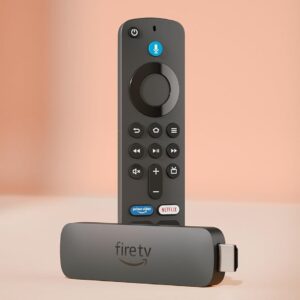
Amazon Alexa Fire TV Stick 4K Plus (modelo más reciente), con búsqueda de Fire TV con IA, Wi-Fi 6, streaming de cientos de miles de películas y series, TV en vivo y gratis
El precio original era: $90,00.$70,00El precio actual es: $70,00. DISPOSITIVOS AMAZON Añadir al carrito -

Barcos Armables Bandai Personajes de One Piece Armables
$65,00 HOGAR Seleccionar opciones Este producto tiene múltiples variantes. Las opciones se pueden elegir en la página de producto -
-
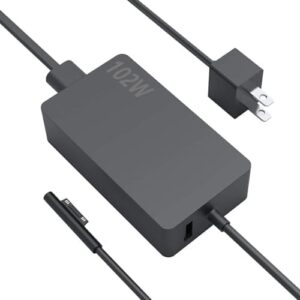
Microsoft Surface Cargador de 102 W, Adaptador de Corriente Genérico
$90,00 ACCESORIOS MICROSOFT Añadir al carrito -
¡Oferta!
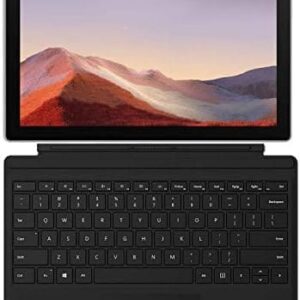
Microsoft Surface Pro 7 de 12.3 pulgadas, Intel Core i5, 8 GB, SSD de 256 GB, Windows 10 + Teclado (renovado) Negra
El precio original era: $1.450,00.$559,98El precio actual es: $559,98. DISPOSITIVOS MICROSOFT Añadir al carrito -
Productos relacionados
-
-
¡Oferta!
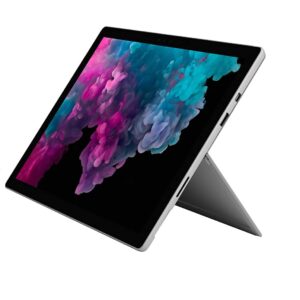
Microsoft Surface Pro 6 i5-8350U @1.7 8 GB RAM 256GB SSD (Renovado) Platino
El precio original era: $1.225,79.$399,00El precio actual es: $399,00. DISPOSITIVOS MICROSOFT Añadir al carrito -
¡Oferta!
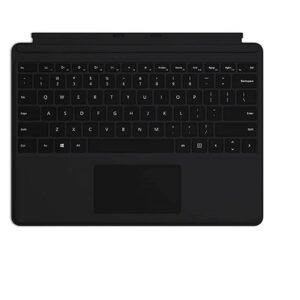
Microsoft Teclado Para Surface Pro (8,9,10,X,11) Negro
El precio original era: $195,00.$190,00El precio actual es: $190,00. ACCESORIOS MICROSOFT Añadir al carrito -
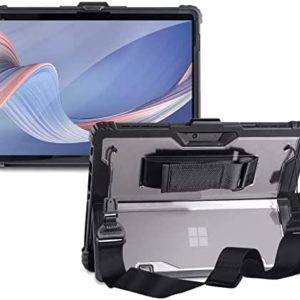
Microsoft Case /estuche para Surface Pro/Go
Rango de precios: desde $34,99 hasta $49,99 ACCESORIOS MICROSOFT Seleccionar opciones Este producto tiene múltiples variantes. Las opciones se pueden elegir en la página de producto -
Pen Microsoft (MIJ22), Puntas de lápiz óptico de Surface, versión original (GFU-00001)
$25,00 ACCESORIOS MICROSOFT Añadir al carrito
Tom Johnston –
Great school tablet
I really like this Surface Pro 7. It is exactly as advertised with one exception. The battery life is nowhere near what is advertised. On battery saving mode, using only Onenote for taking class notes, it lasts about 4 hours. Fortunately it charges up very quickly though. I can’t see any way that I would get a full days use out of a full battery charge in any circumstance. In my case that is not very important because I am always around an outlet but if you need a tablet that will last all day away from a power source you will have a problem. The camera is good enough, not as good as the Apple camera, but I don’t really use it as a camera anyway. I use mostly the 365 programs and find that it integrates these programs seamlessly. Onenote comes with the tablet and has been an amazing app for my vet school classes. It saves my many hours of study time. My only issues are with the instability of Onenote. It closes itself down every few minutes and is very frustrating. I’m sure there is a fix for this but I’m also sure that I won’t get it from Microsorft as they have a technical support team that is on par with the customer service team at the cable company. I’ve contacted them 3 times now and my issue is never addressed. I was actually told to contact Amazon since they sold it to me. It seems like after spending a thousand dollars on Microsoft products they would at least provide a bit of tech support. I’ll just have to scour the web for a fix to this I guess. Overall I would recommend this tablet to every student. It seems to be a fantastic and fast machine.
A 6 personas les resultó útil
Dean –
Great choice for a power user’s secondary machine
As a power user who wanted a 2-in-1 tablet PC I could carry around the house and do lighter-weight tasks away from my desk such as reading and word processing (and an occasional lightweight game) without any lag, but also didn’t want to break the bank on an up-to-date Surface Pro model, this was the perfect compromise.It’s the perfect size for both tablet and laptop usecases, and the thermal distribution of the internal components make it so even when it’s running hot, there’s still comfortable ways to hold it landscape or portrait. It’s exactly as strong as I need it to be, no more and no less. I will admit that the age of the model, even if it was new in box, does take its toll on the battery capacity as it tends to only last 4-5 hours from a full charge when putting it under moderate-heavy load, but that’s something I was expecting and am not personally affected by.It does come out of the box with a very old version of Windows 10, and thus it took a day of active updating to get it updated to the current version and another 2-3 for Microsoft to allow me to install Windows 11. Admittedly, Windows 11 does also strain the hardware a bit harder, making it generally run hotter and draining the battery slightly faster, but I would not consider it «inadequate» to run up to date operating systems by any means.Something very important to clarify for those who have never bought a Surface Pro specifically before: THIS DOES NOT COME WITH A KEYBOARD. The materials on the store page deliberately obscure that, but you will receive it in the box as a tablet, and will need to order a type cover separately.
A 4 personas les resultó útil
An –
Good quality
Get much better price here and product works totally good
Jaime Enrique Lopez –
It is even better than you expected it to be…
My previous laptop was a godzilla, 15 inch monitor, weighs like 3 pounds or something (2014 model). I was looking for something that had the horsepower for what I needed, but also the lightness to carry it around. Although battery life isnt, the best, I DON’T MIND!This thing is a beast! Im very happy running programs like tableau, zoom, excel, powerpoint, all at the same time and with various files and this thing doesn’t even flinch. The first few hours setting up and downloading all the programs it felt a big sluggish and I was starting to get worried. Once that was done, it started to fly.Yes, the rotating screen isnt as flawless as apple’s iPad. That said, I bought this not to look pretty, i bought it to be my tool in battle. Being able to run all the programs that a regular PC can run is the main decision I went for Microsoft Surface. The only downside is that Microsoft is a bit costly on the accessories front.I recommend this piece of tech to anyone who needs to travel or is on the move. I’m a relatively big guy and i’ve had no major problem with the size of the keyboard. I do put it FLAT on tables because my keystrokes tend to be pretty hard and the keyboard is the most (in my opinion) fragile of the accessories.Lastly, the Pen interface is not perfect YET but oh man, as a first timer working with it, it kicks total ass and makes note taking in OneNote a complete positive trip.
A 13 personas les resultó útil
Diego Pop –
A good price and good product.
A good price and good product.
Alfredo –
i5 10th gen /8gb RAM / 128GB
I initially bought a Surface Go(8gb) for a gift and when I had it in my hands I fell in love with the Surface. I had to get one for myself. Since I didn’t find another 8gb surface go model, I went w/ the Pro 7 i5/8gb model myself. I am in love with this device. Watching netflix is great, Illustrator and other drawing software works great w/ the surface pen. Keyboard took a few minutes to get the hang of it and I quite enjoy it, it works well. It is a bit heavy when holding it w/ one hand (this is why I loved the Surface GO version for normal tablet use) but it is quite light overall.Also tested a few games and it actually surprised me a bit tacking into account this is the i5 model. I am able to play Halo Reach just fine, (note that I had to lower the resolution down to 1080p) and it plays good. Minecraft plays really well. I didnt actually get this for gaming ( lol ) but it plays light games just great (of course it gets warm w/ Reach). StardewValley FTW!Currently this is my primary device and it performs extremely well. If you have the extra cash, do go for the i7 model mainly for the 16gb of RAM. OS consumes around 2.5-3GB of ram, so that doesnt leave much left on the 8GB model. I personally did not have an extra 500$ just to get the i7 model.
A 36 personas les resultó útil