
¡Oferta!
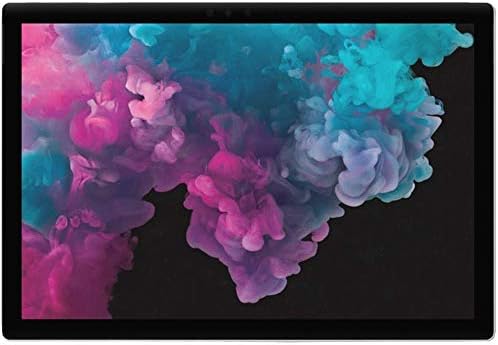
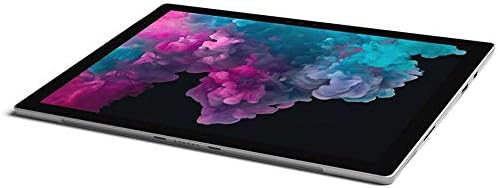


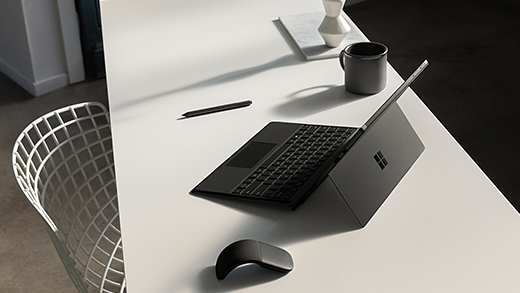
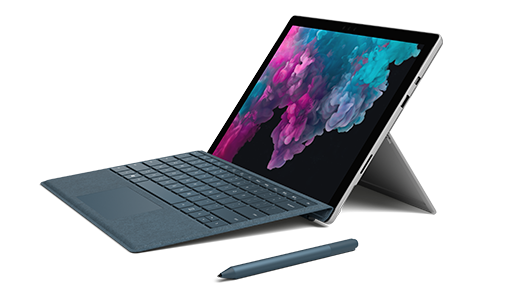

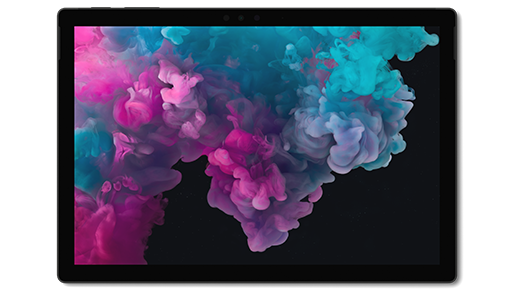
Microsoft Surface Pro 6 (Intel Core i7- 8 GB RAM – 256 GB SSD) Nueva
El precio original era: $1.450,00.$750,00El precio actual es: $750,00.
¡Calidad Garantizada!Una computadora portátil de primera clase con la versatilidad de un estudio y una tableta Más potencia, ahora con el nuevo procesador Intel Core de octava generación Ultradelgado y ligero, a partir de solo 1.7 libras Duración de la batería durante todo el día, con hasta 13,5 horas de reproducción de video Combínalo con nuestra cubierta tipo distintivo* en material Alcántara de lujo y colores ricos para una experiencia completa del teclado. Relación de aspecto: 3:2 Cámara frontal de 5.0MP con video Skype HD de 1080p. Cámara de enfoque automático de 8.0MP orientada hacia atrás con video Full HD de 1080p
Surface Pro 6 especificaciones y características
Introducción a Surface Pro 6
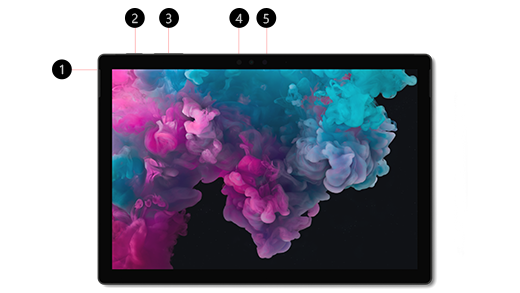
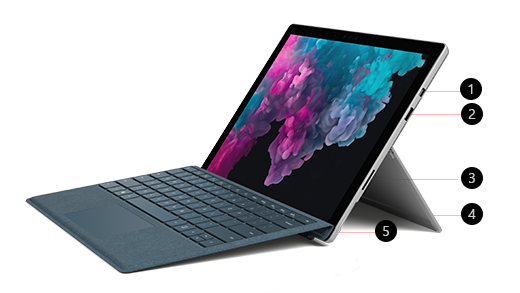
¿No tienes la certeza de dónde conectar algo o de cómo subir el volumen? Tenemos lo que necesitas. Estos son algunos diagramas que te ayudarán a orientarte.
- Conector de auriculares y micrófono
- Botón de encendido/suspendido
- Volumen
- Windows Hello con inicio de sesión por reconocimiento facial
- Cámara frontal
- Mini DisplayPort (versión 1.2)
- USB 3.0
- SurfaceConnect
- Soporte posterior
- Lector de tarjetas microSDXC™
Iniciar sesión con el rostro
Usa Windows Hello e inicia sesión con el rostro, en vez de con una contraseña. Es más rápido y seguro.
Ejecuta aplicaciones y software de nivel profesional
Surface Pro ejecuta los programas que necesitas para el trabajo y la pantalla PixelSense™ de alta resolución hace que tus ideas tengan vida. Además, cuando llegue el momento de relajarte, Surface Pro ejecutará las aplicaciones y los juegos que te gustan.
Personalízala
Personaliza Surface Pro 6 con estos accesorios opcionales:
Funda con teclado Signature
Disfruta de una experiencia real para tu equipo portátil con Surface Pro.
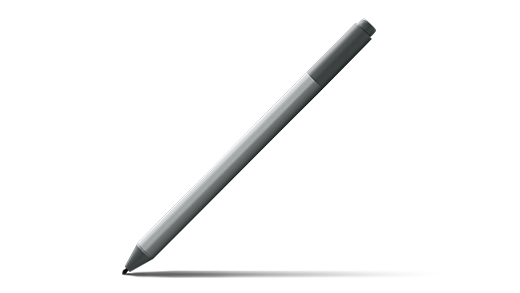
Lápiz para Surface
Configúralo y aprovéchalo al máximo para tomar notas, escribir a mano o realizar dibujos con total precisión.
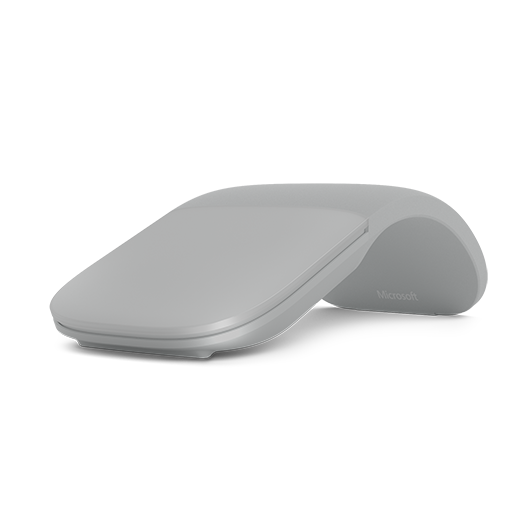
Surface Arc Mouse
Se ajusta de forma natural a la curvatura de la mano y se aplana fácilmente para guardarlo en cualquier bolsa, ofreciendo máxima portabilidad.
Surface Dial
Una herramienta innovadora para el proceso creativo que funciona directamente en la pantalla de Surface Pro 6 para simplificar tu flujo de trabajo.
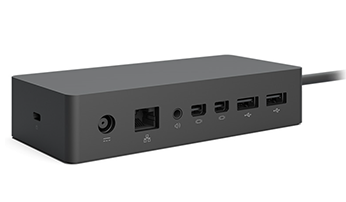
Base Surface Dock
Transforma tu Surface Pro 6 en un equipo de escritorio completo expandiendo de forma instantánea tus opciones de conectividad.
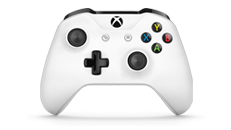
Mando Xbox One
Conecta tu mando y disfruta de tus juegos favoritos de Xbox en tu Surface Pro 6 con una experiencia de control fluida y precisa.
Trabaja de la forma que quieras y donde quieras
Surface Pro 6 es delgada y ligera, por lo que es muy sencillo llevarla allá donde vayas. El soporte posterior con bisagra de Surface Pro 6 se acomoda a donde te encuentres y a lo que estés haciendo, ya estés viajando en avión, relajándote en la playa o creando en el estudio.
Modo Portátil
Cambia Surface Pro 6 al modo Portátil abriendo el soporte posterior integrado y agregando una Funda con teclado Signature para Surface Pro.
Modo Estudio
Baja el soporte posterior para poner Surface Pro 6 en modo Studio: es el ángulo perfecto para escribir y dibujar en el que puedes crear con accesorios opcionales, como el Lápiz para Surface y Surface Dial.
Modo Tableta
Con el soporte posterior cerrado, Surface Pro 6 se convierte en una potente tableta, ligera y portátil. Úsala con el Lápiz para Surface para tomar notas, anotar ideas o dibujar. O bien, simplemente relájate al final del día con tu película favorita.
Potencia y rendimiento excepcionales
Surface Pro 6 es lo suficientemente ligera para ponértela bajo el brazo y llevártela a tu próxima reunión, pero tiene un procesador Intel® Core™ de 8.ª generación con la potencia y rendimiento necesarios para ejecutar todo el software de escritorio que necesitas para hacer las cosas.
Participa en videollamadas
La cámara HD frontal de Skype que Surface Pro 6 tiene es perfecta para videollamadas y reuniones.
Trabaja más rápido con la función táctil
Surface Pro 6 tiene una impresionante pantalla PixelSense™ de alta resolución de 12,3″, que da vida a tus ideas y responde rápidamente a la función táctil.
Deja el cable de alimentación en casa
Con hasta 13,5 horas de reproducción de vídeo*, no tienes que preocuparte por quedarte sin batería ni por llevar un cargador contigo. Para cambiar la configuración de la batería, consulta Sugerencias para ahorrar batería.
Sugerencias para ahorrar batería
* Hasta 13,5 horas de reproducción de vídeo. Pruebas realizadas por Microsoft en abril de 2017 con un dispositivo de preproducción Intel Core i5, con 256 GB y 8 GB de RAM. La prueba consistió en una descarga completa de la batería durante la reproducción de vídeo. Todas las opciones de configuración eran predeterminadas excepto: La conexión Wi-Fi estaba asociada a una red y se desactivó el brillo automático. La duración de la batería varía significativamente según la configuración, el uso y otros factores.
Trabajar con Windows, Microsoft Office y OneDrive
Surface Pro 6 ejecuta el Windows que conoces y en el que confías, y Microsoft Office, incluidos Word, Excel y PowerPoint, para producir tu mejor trabajo. También se incluye OneDrive, por lo que tus archivos se almacenan de forma segura en la nube. Consulta microsoft.com/tips y Ayuda de Windows para obtener más información.
Surface Pro 6 incluye:
- Edición Windows 10 Home (clientes consumidores)
- Edición Windows 10 Pro (clientes comerciales)
Si tienes Windows 10 Home en tu dispositivo, puedes actualizar a Windows 10 Pro abonando una cantidad adicional. Para obtener más información, consulta Actualizar Windows 10 Home a Windows 10 Pro.
Para comprobar qué versión de Windows tienes, consulta ¿Qué versión del sistema operativo Windows tengo? para obtener más información.
Si no estás seguro de qué modelo de Surface estás usando, consulta ¿Qué modelo de Surface es el que tengo? para más información.
Nota: Puedes actualizar tu Surface Pro 6 a Windows 11. Para obtener más información, consulta Requisitos del sistema de Windows 11.
Especificaciones técnicas: Microsoft Surface Pro 6
| Modelo analizado | Intel Core i7 / 8 GB RAM / 256 GB SSD (Nuevo) |
|---|---|
| Procesador | Intel® Core™ i7-8650U de 8.ª generación |
| Memoria RAM | 8 GB RAM |
| Almacenamiento | SSD de 256 GB (Unidad de estado sólido) |
| Gráficos | Intel® UHD Graphics 620 |
| Pantalla | • 12.3″ PixelSense™ • Resolución: 2736 x 1824 (267 PPI) • Relación de aspecto: 3:2 • Multitoque de 10 puntos |
| Sistema Operativo | Windows 10 Home (incluye prueba de 30 días de Microsoft 365) |
| Dimensiones y Peso | • Dimensiones: 292 mm x 201 mm x 8.5 mm (11.5″ x 7.9″ x 0.33″) • Peso: 784 g (1.73 lbs) sin funda con teclado |
| Cámaras y Audio | • Cámara frontal de 5.0 MP (Vídeo Skype HD 1080p) + Facial Windows Hello • Cámara trasera de 8.0 MP con enfoque automático (Vídeo Full HD 1080p) • Micrófonos duales • Altavoces estéreo de 1.6W con Dolby® Audio™ |
| Puertos y Conexiones | • 1 x USB 3.0 de tamaño completo • Mini DisplayPort • Conector de auriculares 3.5 mm • 1 x Puerto Surface Connect • Puerto para Funda con teclado Surface • Lector de tarjetas MicroSDXC (UHS-I) • Compatible con interacción fuera de pantalla de Surface Dial |
| Conectividad Inalámbrica | Wi-Fi (IEEE 802.11 a/b/g/n/ac) + Bluetooth 4.1 |
| Batería y Seguridad | • Autonomía: Hasta 13.5 horas de reproducción de vídeo local • Seguridad: Chip TPM 2.0 y rostro Windows Hello |
| Diseño y Sensores | • Carcasa: Magnesio unibody con ventilación perimetral oculta • Sensores: Luz ambiente, acelerómetro y giroscopio • Botones físicos: Volumen, Inicio / Apagado |
| Contenido de la caja | Surface Pro 6, Fuente de alimentación, Guía de inicio rápido y Documentos sobre seguridad y garantía |
* Funda con teclado, Surface Dial, Microsoft 365, algún software y algunos accesorios se venden por separado.
[1] Duración de la batería de Surface Pro 6: Hasta 13,5 horas de duración de la batería para la reproducción de vídeo local. Las pruebas las realizó Microsoft en septiembre de 2018 usando un dispositivo de preproducción Intel® Core™ i5 de 256 GB con 8 GB de RAM. La prueba consistió en una descarga completa de la batería durante la reproducción de vídeo. Todas las opciones de configuración eran predeterminadas excepto: La conexión Wi-Fi estaba asociada a una red y se desactivó el brillo automático. La duración de la batería varía significativamente según la configuración, el uso y otros factores. Comparación de Surface Pro 6 duración de la batería y la duración de la batería de MacBook a https://www.apple.com.
[2] Los colores disponibles para la Funda con teclado (se vende por separado) y Surface Pro 6 pueden variar según el mercado y la configuración.
[3] El software del sistema usa una cantidad importante de espacio de almacenamiento. El almacenamiento disponible está sujeto a cambios en función de las actualizaciones de software del sistema y el uso de las aplicaciones. 1 GB = 1000 millones de bytes. Consulta Surface.com/Storage para más información.
[4] Compatible solo con la Funda con teclado para Surface Pro y las fundas con teclado Signature para Surface Pro.
| Estilo | Surface Pro, Cubierta tipo Surface Pro + Platinum, Surface Pro + Cubierta negra |
|---|---|
| Tamaño | 16GB RAM, 512 GB, 8GB RAM, 128 GB, 8gb Ram, 256 Gb, 8GB RAM, 256 GB |
| Color | Negro, Platino |
| Configuración | Intel Core i7, Intel Core i5 |
| Marca | Microsoft |
| Nombre Modelo | Surface Pro 6 |
| Generación | 8ª generación |
| Año Modelo | 2018 |
| Descripción del rango de edad | Adultos |
| Contenido de la caja | Dispositivo., Documentos de seguridad y garantía, PSU., QSG |
| Descripción de la garantía | 1 año de garantía |
| Número de modelo | KJU-00001 |
| Usos específicos del producto | personal, juegos, negocios |
| UPC | 889842369656 |
| Nombre de estilo | Surface Pro |
| Fabricante | Microsoft PC |
| Número de identificación de comercio global | 00889842369656 |
| Número de pieza del fabricante | KJU-00001 |
| Nombre Tipo Artículo | Microsoft Surface Pro 6 (Intel Core i7, 8GB RAM, 256GB) – Versión más reciente |
| Clasificación en los más vendidos de Amazon | nº198,974 en Electrónica (Ver el Top 100 en Electrónica) nº2,689 en Tablets |
| ASIN | B07HZM3SB8 |
| Duración media de la batería/pila | 13 Horas |
| Capacidad Batería | 46,5 Vatios-hora |
| Tipo de batería/pila | Ión de Litio |
| Contenido energético de la batería/pila de litio | 46,5 Vatios-hora |
| Velocidad CPU | 1,9 GHz |
| Descripción Procesador | Intel Core i7 |
| Fabricante Modelo CPU | Intel |
| Número Modelo CPU | Core i7 |
| Máxima velocidad del modelo de CPU | 4,2 GHz |
| Características del producto | Lightweight |
| Sistema operativo | Windows 10 Home |
| Fabricante del procesador | Intel |
| Coprocesador Gráfico | Gráficos Intel UHD 620 |
| Tipo de interfaz 1 - Tipo de interfaz 5 | Pantalla Táctil |
| Descripción Gráficos | Integrado |
| Dispositivos compatibles | Cubierta tipo firma |
| Tipo de garantía | Limitado |
| Familia del sistema operativo | Windows |
| Unidad de medida del tamaño de la pantalla | 12,3 Pulgadas |
| Resolución máxima de la pantalla | 2736×1824 Píxeles |
| Tipo de pantalla | LCD |
| Resolución Nativa | 2736 x 1824 |
| Ratio de aspecto | 3:2 |
| Capacidad Almacenamiento Memoria | 256 GB |
| Memoria RAM Instalada | 8 GB |
| Ranuras de memoria disponibles | 34 ES |
| Tamaño Memoria Equipo | 8 GB |
| Tamaño Disco Duro | 256 GB |
| Interfaz Hardware | Bluetooth |
| Tecnología inalámbrica | Bluetooth, Wi-Fi |
| Tecnología Móvil | 4G |
| Puertos USB | 1 |
| Tecnología de conexión | Bluetooth, wifi |
| Estándar Comunicación Inalámbrica | 802.11a, 802.11a/b/g/n, 802.11a/b/g/n/ac, 802.11abg |
| Resolución de grabación de vídeo | 1080 P |
| Descripción de la cámara | Frente, Parte Posterior |
| Resolución del sensor fotográfico de la cámara trasera | 8 MP |
| Resolución de la cámara trasera | 8 MP |
| Feature | Cámara frontal de 5.0MP con video Skype HD de 1080p. Cámara de enfoque automático de 8.0MP orientada hacia atrás con video Full HD de 1080p |
7 valoraciones en Microsoft Surface Pro 6 (Intel Core i7- 8 GB RAM – 256 GB SSD) Nueva
Solo los usuarios registrados que hayan comprado este producto pueden hacer una valoración.
-
¡Oferta!
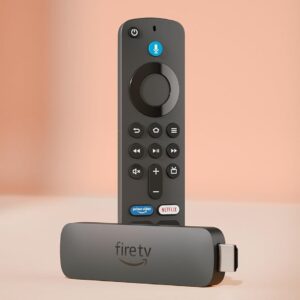
Amazon Alexa Fire TV Stick 4K Plus (modelo más reciente), con búsqueda de Fire TV con IA, Wi-Fi 6, streaming de cientos de miles de películas y series, TV en vivo y gratis
El precio original era: $90,00.$70,00El precio actual es: $70,00. DISPOSITIVOS AMAZON Añadir al carrito -
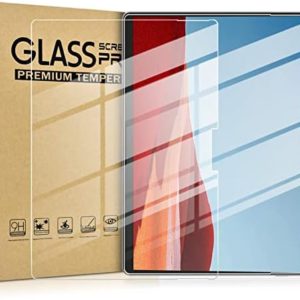
Microsoft Protector de pantalla para Surface Pro X,8,9,10,11
$30,00 ACCESORIOS MICROSOFT Añadir al carrito -
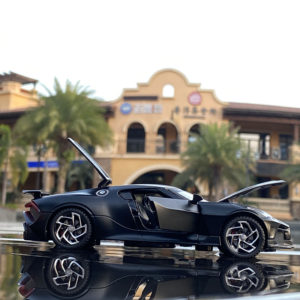
Coche deportivo de aleación Bugatti Lavoiturenoire Coleccionable
$30,00 HOGAR Seleccionar opciones Este producto tiene múltiples variantes. Las opciones se pueden elegir en la página de producto -
¡Oferta!
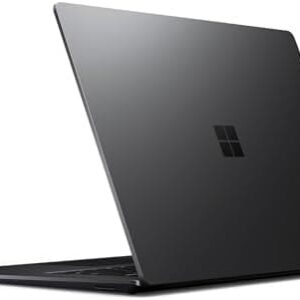
Microsoft Surface Laptop 3 | 13.5 pulgadas| Core i7-16GB RAM-1TB Nvme SSD | Win 11 Negro (renovado)
El precio original era: $1.799,99.$599,98El precio actual es: $599,98. DISPOSITIVOS MICROSOFT Añadir al carrito -
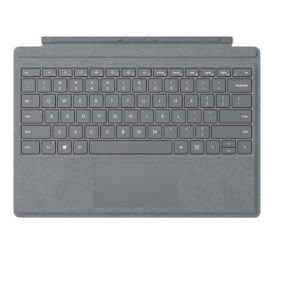
Microsoft Teclado Para Surface Pro (3,4,5,6,7) Platino
$150,00 ACCESORIOS MICROSOFT Añadir al carrito -
¡Oferta!
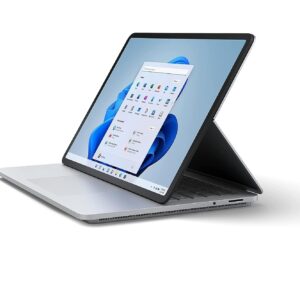
Microsoft Surface Laptop Studio i7-1137H 32GB RAM 2TB SSD NVIDIA® GeForce RTX™ 3050 Ti Win 11 Nueva
El precio original era: $4.500,00.$2.999,00El precio actual es: $2.999,00. DISPOSITIVOS MICROSOFT Añadir al carrito
Productos relacionados
-
¡Oferta!
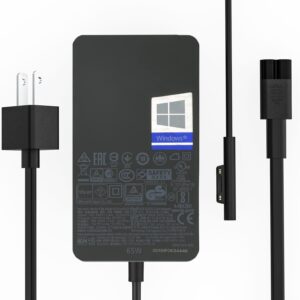
Microsoft Surface Cargador Original de 65 W, 15 V, 4 A, 65 W. Compatible con con puerto de carga USB 2.0 de 5 V/1,5 A.
El precio original era: $80,00.$49,99El precio actual es: $49,99. ACCESORIOS MICROSOFT Añadir al carrito -
¡Oferta!
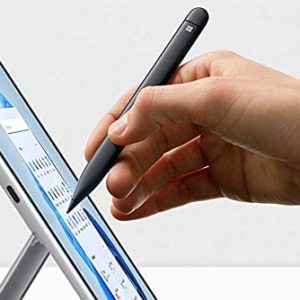
Pen 2 Microsoft Surface Slim Negro
El precio original era: $199,00.$160,00El precio actual es: $160,00. ACCESORIOS MICROSOFT Añadir al carrito -
-
¡Oferta!
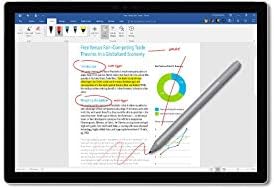
Pen Microsoft Surface Platinum Modelo 1776
El precio original era: $180,00.$90,00El precio actual es: $90,00. ACCESORIOS MICROSOFT Añadir al carrito -
¡Oferta!
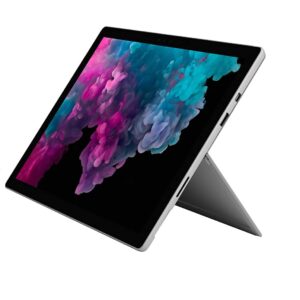
Microsoft Surface Pro 6 i5-8350U @1.7 8 GB RAM 256GB SSD (Renovado) Platino
El precio original era: $1.225,79.$399,00El precio actual es: $399,00. DISPOSITIVOS MICROSOFT Añadir al carrito
Angela Skinner –
I love this
This is my second Surface. My original was 128G and I literally just ran out of room. The unit itself is very intuitive. BUT, it’s the keyboard that will hook you for life (sold sep); it is the best, most responsive keyboard I’ve ever used and I’ve had my hands all over PLENTY. Just a good, solid item for work. Easy to pack and store, very light and small, perfect for work travel.
LindsayC –
LOVE IT
I bought this as I wanted something powerful that was also portable and light to carry. I bought the keyboard that goes with it, which is vital for using it like a computer. Didn’t get the docking station.I love this Surface, it’s fast and responsive, and it’s very compact and easy to transport. The battery life lasts for quite a while just using basic functions such as MS Office tools and surfing the web. I haven’t tried it yet with more power intense applications like Photoshop and Adobe Premier, but I assume it will last less long with these tools as they use more processing power. All in all very happy with this purchase and the performance. It was more than a standard laptop, but the portability, reviews, and processor/memory specs were better and more robust.
A 5 personas les resultó útil
Tony Cowell –
Everything that i can do works
Since i have ordered this back in 2020, i have had no problems since then, i have been enjoying my Tablet ever since and my mom is thinking on Getting one heself. She loves mine and i have Enjoyed every bit of it. Storage Capacity is perfect, the Sound is great, even i have been using the Bluetooth a lot, and you can also do it the old fasion way for plugging your headphones in too. The Laptop is great for all tge things you like to do, but for the price is up there but if you are looking for something like this then its perfect but you will have to check. The Heat isn’t a bad thing and for the weight is perfect too.
Happy Customer –
TOP SPECS
I needed a small versatile laptop/tablet for work. This model has great specs good memory and everything contained in a small unit, perfect for travel purposes and with enough power to be on the road and to work with high-end programs such as AutoCAD, not great for games because of the video card so this not definitely for gamming. Overall I am super happy with the product. Overall, fast, reliable, enough power and great screen resolution, you can sync phone, get smart password face recognition software and no lag what so ever on multiple open programs at the same time. Hope it helps finding the product you need.
A una persona le resultó útil
Cathy Vogel –
Good to know while buying used Microsoft surface pro
I am a hug fan and surface pro user and run my business off of them. I recently try to buy one used off of amazon. The item came in good condition. The only problem is the computer batter was dead for some time. When I plugged in, and it turned on and started resetting computer up. The only problem when computer was updating the firmware was corrupted, and my battery charging driver was capote. No problem, just update. Wrong, there is a safety in computer that will not let you update this without 40% of battery life. If that driver is corrupted, you are in a pickle. Only Microsoft can fix, and you have a fancy looking desktop, with touch screen.Make sure you plug computer in with light lit on cable solid and leave over night to make sure it is charged before turning on. The person sending to you will have it automatically set up when you turn on and this is good as long as battery life is sufficient case this happens to you.
A 2 personas les resultó útil
African Grease Monkey –
Awesome product!!
I had 2 options available to me. Either the iPad pro or the Surface pro 6. After weeks of reading reviews on both Products I decided to go with the Surface pro. Main reason is that it has a Windows based platform that runs my manuals in an offline mode. Being based in Africa where internet is a luxury, this was the selling for me. The product far exceeded my expectations. The battery life is unbelievable, giving me more than a full day of productivity on a single charge. Coupled with the Bluetooth keyboard, it transforms into to a very capable laptop replacement.
Keith K. –
Daughter’s college laptop, perfect
Our daughter wanted something lighter and thinner than her lenovo, so we got her a Surface Pro for her first year of college. She loves the Surface, it fits in all her bags, it’s light, it’s plenty capable for what she does as a Math/Spanish major. We bought the 6 instead of the 7 because it has a standard USB port and all her peripherals hae that style. The 7 has USB-C and would need her to carry an adaptor all the time to plug in her peripherals. She is very happy with her Surface Pro 6 and I’m going to buy one for my wife too in the near future.